

Hiring a law firm often requires sharing information you would not send to an ordinary business. Depending on the matter, a firm may receive medical records, financial statements, tax documents, employment files, contracts, private messages, identification documents, trade secrets, or details about family conflict. That information may be necessary for legal advice, but it can also become valuable to criminals if exposed.
Law firms increasingly rely on cloud platforms, remote access, electronic filing, client portals, artificial intelligence, and outside technology vendors. These tools can improve speed and communication, but they also increase the number of systems and people involved in handling client information. Cybersecurity should therefore be part of your law-firm comparison before you upload a large document collection or send highly sensitive records.
You do not need to perform a technical audit during an initial consultation. You do need enough information to understand how the firm expects you to communicate, how it protects files, who can access them, and what it will do if something goes wrong. Start by comparing profiles in the LawFirmReviews.net law firm directory, then ask direct security questions before choosing a firm.
Why Law Firm Cybersecurity Should Matter to Clients
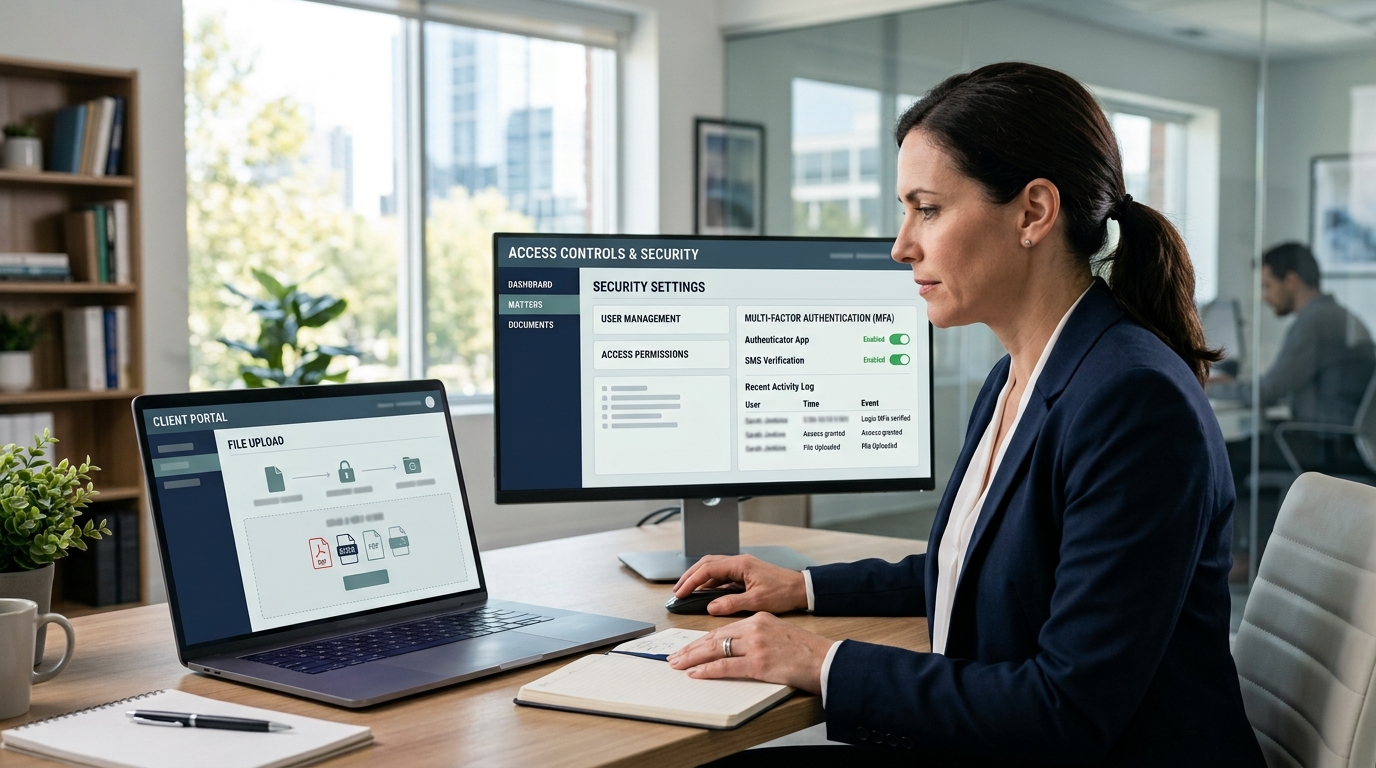
Cybersecurity is not only an internal technology issue. A security incident can delay legal work, interrupt access to deadlines and evidence, expose private information, create identity-theft risks, or give an opposing party access to sensitive strategy. Even when a firm restores its systems quickly, stolen data may already have been copied.
The American Bar Association has reported that many firms have formal cybersecurity policies, while phishing and ransomware remain significant threats. The legal profession also continues to expand its use of cloud systems and AI-assisted tools. That combination makes basic questions about confidentiality, access, and incident response increasingly relevant.
Law Firms Hold Unusually Sensitive Information
A personal injury firm may hold medical records and insurance information. A family law firm may receive financial disclosures, custody evidence, and private communications. A business firm may review customer lists, contracts, intellectual property, and acquisition plans. An immigration firm may collect passports, birth records, addresses, and family histories.
The Federal Trade Commission’s guidance on protecting personal information advises businesses to collect only what they need, protect it while stored and transmitted, and avoid using unsecured email for highly sensitive information. Clients can apply the same practical standard when evaluating a law firm’s intake process.
Ask How Documents Are Sent and Stored
Ask whether the firm provides a secure client portal or encrypted file-sharing system. A portal does not automatically guarantee security, but it is generally better than sending tax returns, identification documents, passwords, or medical records through ordinary email. If the firm asks you to email sensitive attachments, ask whether another method is available.
Find out whether documents are stored in the firm’s systems, a cloud document platform, a practice-management service, or another vendor. You do not need the complete technical architecture. You should be able to learn whether the system uses encryption, multifactor authentication, access controls, backups, and routine updates.
Also ask how long the firm keeps your records and how files are returned or destroyed after the representation ends. Retention periods may be affected by legal requirements, but a responsible firm should have a defined process.
Ask Who Can Access Your File
Your matter may involve more people than the attorney you first meet. Partners, associates, paralegals, intake staff, billing employees, contract lawyers, investigators, experts, translators, and technology vendors may all have some access. Ask who is expected to work on your case and whether outside providers will receive your information.
Access should be based on the work a person needs to perform. Ask whether the firm uses individual accounts, multifactor authentication, and procedures for promptly removing access when employees or contractors leave.
If your matter is especially sensitive, explain that before sharing files. A firm may be able to apply additional restrictions, use a separate secure workspace, limit downloads, or agree on a specific communication method.
Common Risks Clients Can Help Reduce
Some attacks target the law firm directly, while others target the relationship between the firm and the client. Criminals may impersonate an attorney, send a fake invoice, alter payment instructions, create a false login page, or use information from a compromised email account to make a fraudulent request appear legitimate.
Phishing messages often create urgency. They may claim that a deadline is about to expire, a settlement must be funded immediately, or a document must be opened before a meeting. Before clicking a link or downloading an unexpected attachment, confirm the request through a known phone number or established portal.
Verify Payment and Wire Instructions
Payment fraud deserves special attention in real estate, settlements, business transactions, probate matters, and any representation involving large transfers. Never rely only on an email announcing new bank details. Call the firm using a number you independently verified, and confirm the recipient name, bank, account information, and amount.
Ask at the beginning how the firm will request payments and whether its wire instructions ever change by email. Keep the firm’s verified contact details outside your inbox so you can still reach it if an account is compromised.
Clients should also use strong, unique passwords for portals and enable multifactor authentication when available. Avoid accessing sensitive files through public Wi-Fi or shared computers. These steps do not replace the firm’s responsibilities, but they reduce risk.
A Cybersecurity Checklist Before You Hire or Upload Files

Cybersecurity should be evaluated alongside experience, practice area, fees, staffing, and communication. A small firm may have excellent controls, while a large firm may have more resources but also more systems and users. Size alone does not determine security.
Use reviews carefully. A client review may mention a confusing portal, email problem, or delayed response, but it rarely proves whether the firm’s technical safeguards are adequate. Read our guide to spotting fake law firm reviews, then verify important security and service details directly.
Evaluate the Firm’s Security and Incident Response
Ask practical questions in plain language:
- Secure communication: How should I send sensitive documents?
- Authentication: Does the client portal support multifactor authentication?
- Access: Who inside and outside the firm may access my file?
- Vendors: Are cloud, AI, document-review, or translation services involved?
- Data minimization: Does the firm request only what it currently needs?
- Backups: Can essential files be restored after ransomware or system failure?
- Payment verification: How are invoices and wire instructions confirmed?
- Incident response: What happens after unauthorized access is discovered?
- Notification: How and when would affected clients be told?
- Retention: How long are files kept after the matter closes?
The Cybersecurity and Infrastructure Security Agency’s StopRansomware Guide emphasizes measures such as multifactor authentication, software updates, recovery planning, backups, and incident-response preparation. A client does not need proof of every control, but the firm should be able to describe its approach without dismissing the question.
Ask whether the firm has experienced a material security incident and how it improved afterward. A past incident does not automatically disqualify a firm. The quality of the response, transparency, remediation, and lessons learned may be more informative than a claim that nothing has ever happened.
Red Flags Before Sharing Confidential Information
Pause before sending sensitive documents when the firm provides no secure method, pressures you to upload everything before identifying the responsible attorney, or cannot explain who receives the information. Be cautious when links arrive from unfamiliar domains, payment instructions change unexpectedly, or someone asks for passwords or authentication codes.
Other warning signs include a portal that produces browser security warnings, staff members sharing one generic login, unexplained use of free consumer file-sharing accounts, and inconsistent answers about whether documents are stored or deleted. No single issue proves that the firm is unsafe, but unresolved concerns justify delaying the transfer.
Cybersecurity also overlaps with AI use. If the firm uses generative AI, ask whether client documents are entered into third-party systems, whether the provider can retain or train on the data, and who reviews the output. Our guide on evaluating a law firm’s use of AI provides additional questions about privacy and supervision.
Technology charges may also appear for e-discovery, secure data rooms, forensic consultants, or other services. Confirm whether those costs are included or billed separately by reviewing our guide to law firm fees and AI billing.
Bottom line: A law firm does not need to reveal confidential security configurations to show that it takes client data seriously. It should provide a secure way to exchange documents, restrict access, verify financial instructions, supervise vendors, maintain backups, and respond to incidents. Ask these questions before sharing the most sensitive parts of your life or business.
This article provides general consumer information and is not legal, privacy, or cybersecurity advice. Security obligations, breach-notification rules, record-retention duties, and professional requirements vary by jurisdiction and circumstance.